 MOGA World
Claude vs ChatGPT for Running an Online Business: Where Each Fits
This is for someone who runs a business and is choosing between Claude and ChatGPT to help run it, not for someone comparing chatbots in general. I use Claude Code every week on my own business, and I have not run ChatGPT on one, so I say below where I am reporting what I use and where I am reporting what the vendors publish.
Short on time? The free sample page shows what a weekly check looks like as a decision, with the reason and a Go button: See the free sample page
The short answer
For a one-off question, a draft or a file you upload, both products do the same kind of work, and I found no published reason to pay for a second one, so use the one you already pay for. The difference starts when you want the same check run every week against your real files and tools: that is a job for a tool that works inside your own files and tools, not a chat window. Claude Code and Codex are the two best known, and you do not need either to start.
So the useful question is not which chat is smarter. It is whether you want an assistant that answers when you ask, or one that does a defined job on your own data each week and shows you the result to approve.
What a chat does well for a business
A chat is good at jobs that start and end in one conversation: rewriting a product description, drafting a supplier mail, explaining a fee table, working through a pricing question, reading a spreadsheet you paste or upload. Both products do this. ChatGPT Plus lists file uploads and analysis, image generation and voice. Claude lists file creation, code execution, web search and voice mode, and its Free plan has them too. Claude's pricing page lists no image generation.
If that is all you need, there is no reason to switch. Pick one, learn how to give it your numbers, and stop comparing.
Where a chat stops
A chat works on what you bring to it, so you carry the data in and the result out. Both products have memory now. ChatGPT can remember preferences and details from your chats and, depending on your plan, from saved files and connected apps such as Gmail, and you can review and delete what it remembers. OpenAI also says memory does not retain every detail from every conversation. That is a sensible design for a personal assistant. For a business it means the rule you worked out on Monday (reorder at 189 units, not 50) lives in a summary you do not fully control.
The other limit is the weekly part. A chat does not open your stock sheet on Thursday morning and add a card for each product that will run out. You open it, you paste, you ask again.
What Claude Code adds: it touches the real tools
Claude Code is an agent that reads your files, edits them, runs commands and connects to your tools, in your terminal, an IDE, the desktop app or the browser. Anthropic describes it as a coding tool, and I use it for business work, because a business also runs on files and tools: stock exports, a board, a supplier list, a price sheet.
Three things matter for a business owner.
- It connects to your tools. Anthropic says Claude Code can use MCP, an open standard for connecting AI tools to external data sources, to read documents in Google Drive, update tickets in Jira or pull data from Slack. In my case it reads the stock numbers and writes cards on the Trello board.
- It reads standing instructions at the start of every session. A plain text file called CLAUDE.md holds your rules, and Claude Code also builds its own auto memory as it works. The rule is in a file you can open, not in a summary.
- It asks before it changes things. Anthropic states that it asks for permission before it changes your files or runs commands.
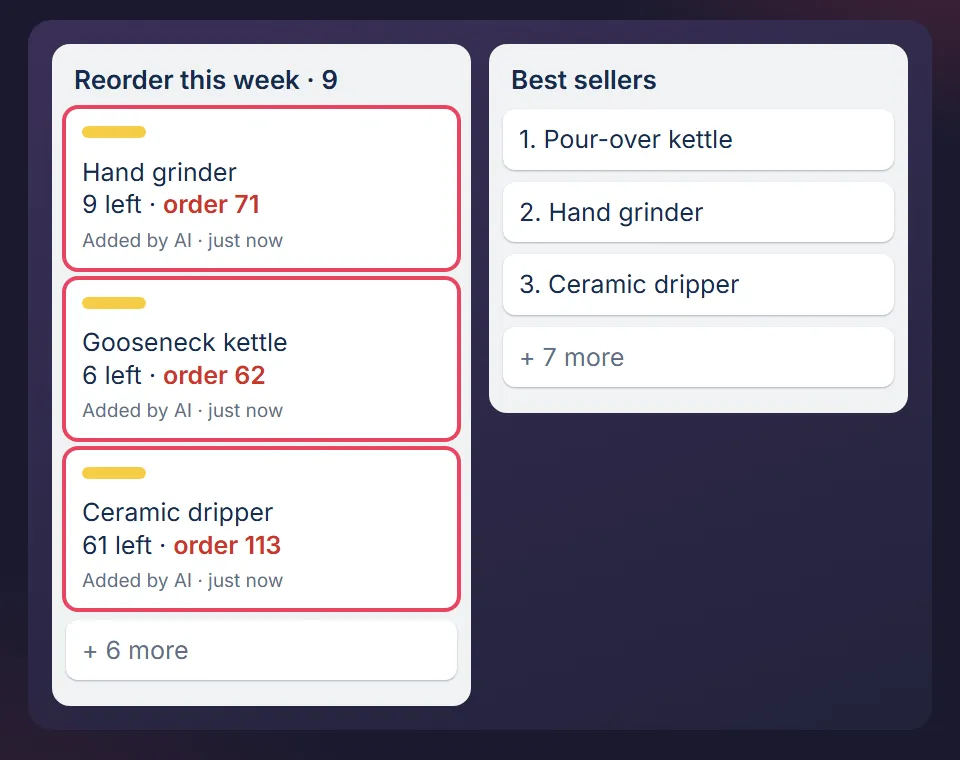
You do not need to write code for this. This article covers what the setup involves, and this one shows the Trello side.

ChatGPT has a coding agent too
OpenAI sells the same kind of tool: Codex, a coding agent that works in a desktop app, a terminal, an IDE extension and the web. OpenAI says Codex is included across ChatGPT plans, including Free and Go, with usage limits that vary by plan, and that it has approval controls for actions that would otherwise run unasked.
If you already pay for ChatGPT and "coding agent" sounds like it is not for you, the no-code article linked above applies to this kind of tool too. The honest first step is to try the weekly check in Codex before you add anything. I have not run Codex on a business, so I cannot tell you which one does it better. I can tell you what I found on mine: the check is only as good as the rule you write into it, and that part is the same in either tool.
Which one for which job
| Your job | Fits | Why |
|---|---|---|
| A one-off question, a draft, a mail | Either chat | It starts and ends in one conversation. Use the one you pay for. |
| Read an export you upload | Either chat | Both list file analysis or code execution. Check the answer against the file. |
| Images or voice | ChatGPT for images | Image generation is listed on its Plus plan and not on Claude's pricing page on 3 November. Voice mode is listed on both. |
| The same check every week on your real files and tools | Claude Code or Codex | Reads files, acts through connected tools, asks before changing things. |
| Rules that must survive for months | A file you own | A text file you can read beats a memory summary you cannot see in full. |
Other AI tools like ChatGPT: the test to apply
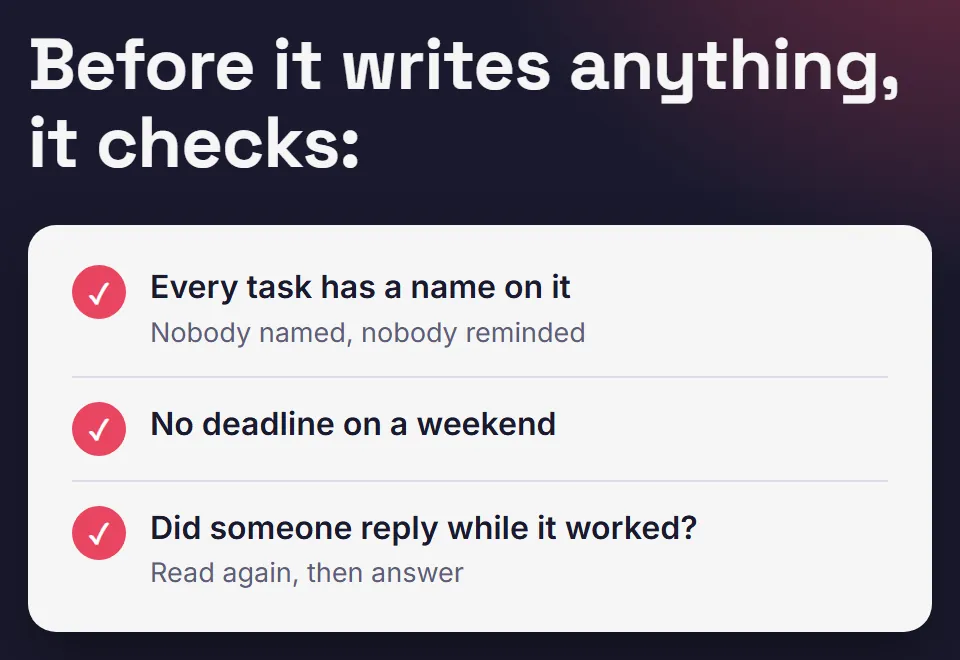
Judge any AI tool for your business by four questions, whatever its name: does it read your real files, does it act through tools you connect, does it ask before it changes anything, and does it keep a rule you can read? I only checked Claude and ChatGPT for this article, so I name no third tool. The test works on any of them.
What it costs
Claude Code needs a paid Claude plan: Pro is $20 a month, or $17 a month billed yearly as $200, and the Free plan does not include it. ChatGPT Plus is $20 a month, and Codex is included in the plans, free ones too, with limits. Check both pages before you decide, because plans change.
Where this article stops
- It compares what the vendors publish, plus what I do with Claude Code. It is not a benchmark, and I make no claim about which model writes or reasons better.
- Plans, limits and features change often. The facts here were read from the vendors' own pages on 3 November 2026.
- A weekly agent check with a wrong rule only makes you wrong faster. Write the rule first.
How I use it
I spent six years running ecommerce businesses and now run MOGA with Claude Code. How that works is on How MOGA is run. If you are weighing a bigger set of jobs, Claude for a small business lists five.
See one weekly check, free
The free sample page shows a stock check as one decision, with its reason and a Go button. No signup, and nothing you press is sent. The free starter board is the email step behind it.
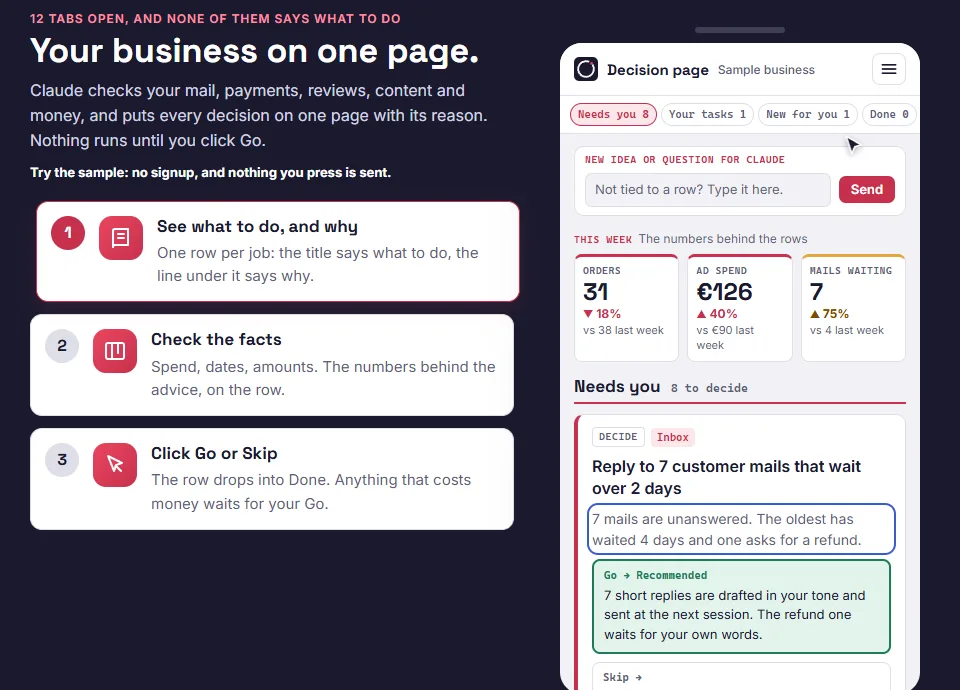
Optional, after the sample page: the free starter board is the Trello version: one board with sample data. You do not need Claude to use it. Leave your email and the board link comes by email.
MOGA World is independent and not affiliated with Anthropic or OpenAI. Facts about both products were read from their own pages on 3 November 2026. Sample businesses and numbers are invented. Questions: stef@mogaworld.co