 MOGA World
Do I need to code to use Claude Code for my online business?
No, you do not need to write or read code to use Claude Code for an online business. Claude Code runs as a chat panel inside VS Code, a free editor, and you type to it in plain words, the way you would in any chat. The VS Code route needs no terminal. What it does need is a paid Claude plan, about two hours for the first setup and the habit of opening it a few times a week.
This page is for the owner who runs a business, not a code editor, and wants to know what the first day really looks like. The steps below are from the MOGA workspace. Jump to the free sample page.
What will I actually do on setup day?
You extract a folder, install an editor, sign in and type one word. About 30 minutes to get in:
- Extract the zip into a normal folder (2 minutes).
- Install VS Code, the free editor (5 minutes).
- Add the Claude Code extension and sign in with your Claude account (5 minutes).
- Open the folder that holds the file
CLAUDE.md(2 minutes). - Set Claude Code up once: the model and the mode (10 minutes).
- Type start in the chat.
Then about 90 minutes with Claude, where Claude does the work and you check it.
What will Claude ask me for?
It drafts your setup from your public pages and asks only what no page shows. You say where you sell and paste a link to your website or marketplace page. Claude marks every guess ESTIMATE and asks for the things only you know: your lowest acceptable margin, your real supplier lead times, what needs your approval and which two days you will use it. You correct a draft instead of typing from scratch.
You will click through some menus and paste a key into a file once or twice. Claude names the file, and the key never goes into the chat. That is clicking and pasting, not coding.
What do I still do each week?
You open it on your two days and answer: Go, Skip, or a sentence. Claude does the reading and the writing. Your part is a click, a sentence or moving a card.
What does it cost?
Claude Pro is about EUR 18 a month before VAT, paid to Anthropic; VS Code and the free Trello plan cost nothing. If you connect a sales platform, you also create one key from it. The MOGA packs are listed on their own page. Prices on other companies' pages change, so check them before you rely on a number here.
Where does this stop?
- If you will not open it twice a week, no setup will help.
- It does not tell you what to sell. It runs the week of a business that already sells.
- It needs a paid Claude plan. The free Claude plan has no Claude Code.
Related questions
- How does Claude Code work with a Trello board?
- Will Claude Code change my prices or send emails without asking?
- Claude for a small business: the 5 jobs it takes off an online seller
- One Trello board for stock, supplier orders and returns
Start with the free sample page
The free sample page shows one page of decisions with sample data: nothing sent, no signup, no Claude needed to open it.
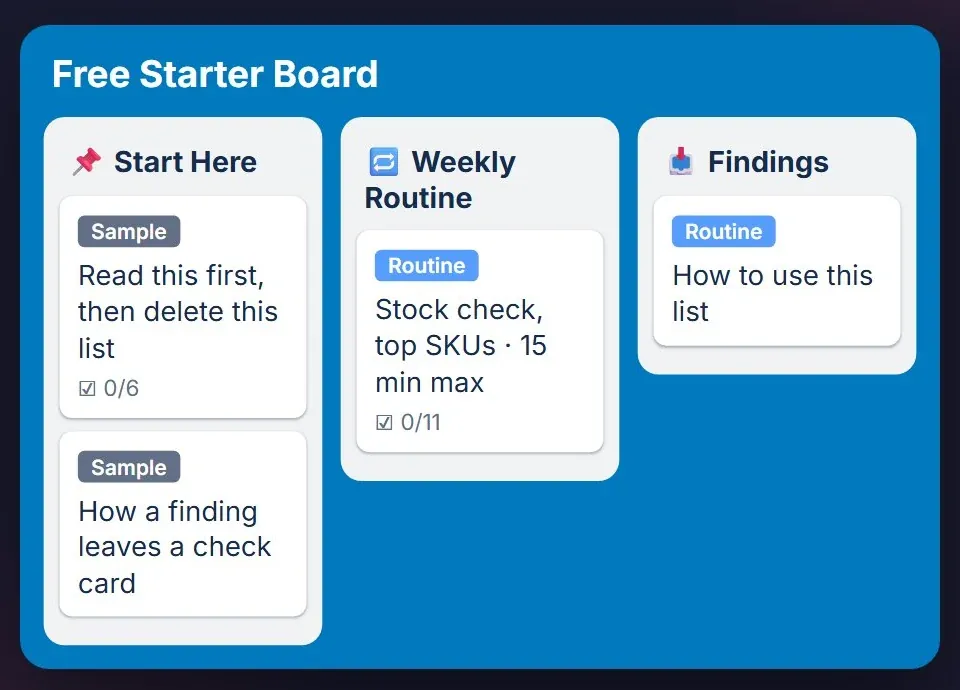
Optional, after the sample page: the free starter board is the Trello version: one board with sample data. You do not need Claude to use it. Leave your email and the board link comes by email.
Want the full version? See the packs.
MOGA World is independent and not affiliated with Anthropic or Atlassian. Sample businesses and numbers on this page are invented. Questions: stef@mogaworld.co