 MOGA World
Ecommerce Fulfilment Checklist: Orders, Stock and Returns on One Board
Shipping from home works until the day it does not: a parcel goes out with the wrong item, a tracking number never reaches the customer, a return sits in a corner for three weeks. None of that is hard. It is a handful of small jobs that nobody wrote down. This checklist covers the seven jobs between a paid order and a returned parcel, each with the rule that decides it.
Short on time? The free sample page shows one of these checks, the stock check, as a decision you can approve or skip: See the free sample page
What ecommerce fulfilment is
Ecommerce fulfilment (spelled fulfillment in the US) is everything that happens between a customer paying and the parcel arriving, or coming back: checking the order, picking the stock, packing, shipping, following the parcel, and handling the return. You can do it yourself, hand it to a third party logistics company (3PL), or let a supplier ship direct (dropshipping). This checklist is written for the first case, because that is where the unwritten jobs pile up.
The spelling is a choice, not a different thing. I use the British spelling because that is how this site is written. Search tools treat both as the same topic.
The 7 step checklist
One line per step. The detail for each follows below. The numbers are samples to replace with your own.
| Step | When | The rule | Done means |
|---|---|---|---|
| 1. Check the order | Before picking | Address, payment and stock are all confirmed | Nothing waits on a question to the customer |
| 2. Pick | 2 fixed runs a day | One list, sorted by shelf, never from memory | Every line ticked, stock count updated |
| 3. Pack | Straight after the pick | Weigh the parcel against the expected weight | A mismatch is opened and fixed before the label |
| 4. Label and ship | Before the carrier cut-off | Tracking goes to the customer the same day | Order marked shipped with a tracking number |
| 5. Follow the parcel | Daily, 5 min | No scan for 2 days, ask the carrier | The list of stuck parcels is empty or dated |
| 6. Handle the return | Within 2 days of arrival | Restock, refund or bin, and log the reason | Reason written, stock count corrected |
| 7. Review the week | Once a week, 20 min | Look at patterns, not single orders | A prevention written for each repeat problem |
Step 1: check the order before you pick it
Confirm address, payment and stock before anyone walks to a shelf. The cheapest mistake to fix is the one caught at the screen.
- The rule: an order is not pickable until all three are true: the payment has cleared, the address has a street number and a postcode that matches the country, and the stock count says you have every line.
- What goes wrong: the stock count is wrong because a return was never added back, or reserved units were counted as free. You pick, find a gap, and write to the customer after the cut-off.
- Done means: every order in the pick list is clean. The ones that are not become one card each, with the question written on it.
Steps 2 and 3: pick and pack
Pick in two fixed runs a day from one list sorted by shelf, then weigh each packed parcel. At 20 orders a day, two runs of 10 beat twenty single trips, and they give you a hard stop before the carrier arrives.
- The rule: the pick list is the only source. Never pick from memory, because the product you know best is the one you pick wrong. Weigh the packed parcel and compare it to the expected weight (item weights plus the box). A gap of more than about 5 percent means a wrong or missing item. This is a rule I use, set your own tolerance from a week of real weights.
- What goes wrong: two variants that look alike (sizes, colours, pack counts). The error shows up as a “wrong item” return days later.
- Done means: every line ticked, and the stock count reduced at the moment of picking, not at the end of the day.

Step 4: label and ship
Ship before the carrier cut-off, and send the tracking number to the customer the same day. The promise on your listing (“ordered by 2 pm, shipped today”) is a cut-off time, so treat it as one.
- The rule: pick the cheapest carrier per weight band once, write it down, and stop choosing parcel by parcel. Upload the tracking number to the store or marketplace in the same sitting as the label. Check the late shipment limit of each marketplace you sell on, because they differ and penalties follow.
- What goes wrong: labels printed but tracking uploaded tomorrow, so the customer writes “where is my order” on a parcel that is already on the van.
- Done means: every order for the day is marked shipped with a tracking number before you close the laptop.
Step 5: follow the parcel after it leaves
Ask the carrier when a parcel has had no scan for 2 days, and tell the customer before they ask you. Most “where is my order” mails come from a parcel that stopped moving two days earlier.
- The rule: 2 days without a scan, open a ticket with the carrier. 5 days, offer the customer a reship or a refund without making them argue. Log the carrier on each case, because a pattern points at the carrier, not bad luck.
- What goes wrong: waiting for the customer to complain, then answering with “it is with the carrier”. That is an answer with no date in it.
- Done means: a short list of stuck parcels, each with a date and an action. Empty is a fine result.
Step 6: handle the return
Decide restock, refund or bin within 2 days of the parcel arriving, and write the reason down. A return is stock you own again only after you inspect it, and information only after you log it.
- The rule: open the parcel, check the item against the listing, decide, update the stock count. One line for the stated reason. Never one card per return: investigate a product at 3 or more returns in 30 days with the same reason (the same rule as in the SOP template article).
- What goes wrong: returns pile up unopened, the stock count says zero, and the product shows out of stock while three units sit in a box.
- Done means: the count is corrected and the reason logged on the day you open the parcel.
Step 7: review the week, not the order
Once a week, look at late parcels, wrong items and returns as patterns, and write one prevention for each repeat. A single bad order is bad luck. The same error twice is a missing line on a checklist.
Work out your cost per order here too. A sample: packaging 0.60, label 3.10, and 6 minutes of your time at EUR 20 an hour is 2.00, so EUR 5.70 an order. Replace the numbers with yours. It is the figure you need for the next section.
One board for all seven steps
Keep your 20 orders a day in your store’s order screen, and put only the exceptions (a stuck parcel, a return, a short count) and the repeating checks on one board. An order that goes through cleanly never needs a card. An exception gets one card, moves across and closes. The repeating cards stay in place and reset each cycle. How that works is explained in the Trello workflow article, which covers the board itself. This article covers what the order does between the lists.

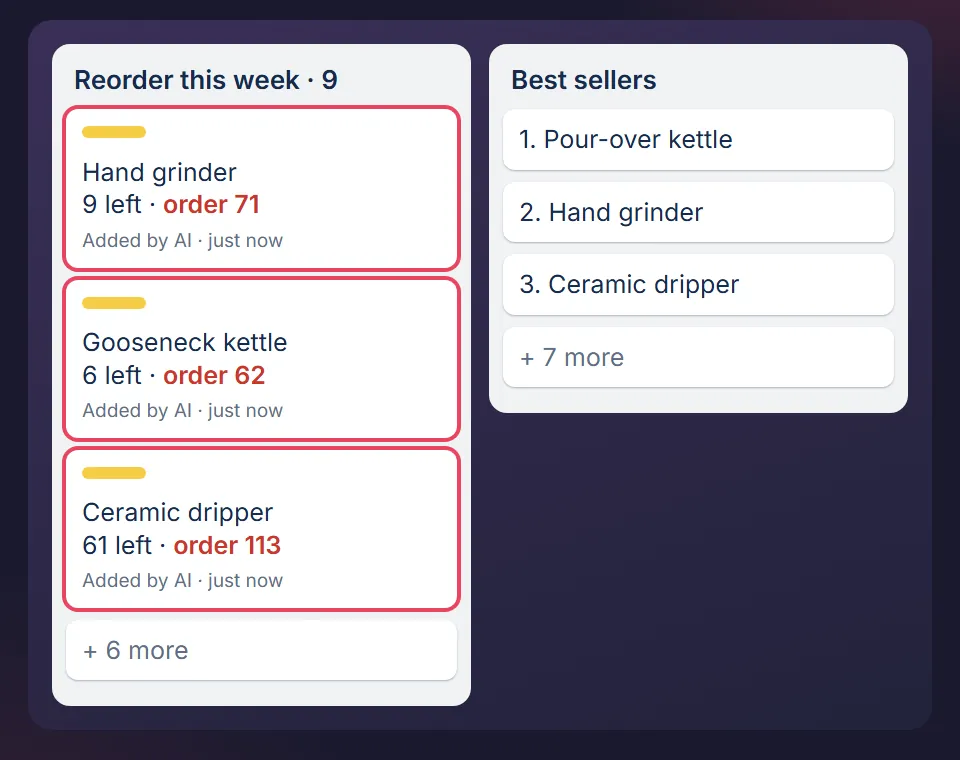
Stock is the step where the board does the most work. When a product will run out before a delivery can arrive, a card appears with the units left and a suggested quantity. You decide, nothing orders itself.
When to hand fulfilment to a 3PL
Hand it over when a quote per order, storage included, is lower than your own cost per order plus what the space and your hours are worth. That is a sum, not a feeling.
- Your side: the cost per order from step 7, plus the space you give up, plus the hours you would spend on something else. At 20 orders a day and 6 minutes each, that is 2 hours a day.
- Their side: ask for the per order fee, pick fee per extra item, storage per pallet or per bin, receiving fee, and the returns fee. Quotes often leave returns out. Ask for it in writing.
- The catch: a 3PL cannot fix a wrong stock count or a bad listing. You send them the same mistakes, faster.
What you need
- A free Trello account. The free plan is enough.
- A printed or on-screen pick list from your store, and a kitchen scale or parcel scale.
- One sitting to write your carrier per weight band and your cut-off time on a card.
- Claude is optional. The checklist works by hand. If you want Claude to run the checks and write the cards, this article shows how.
Where it stops
- The board does not pick, pack or print labels. It holds the checks around them. Your store and carrier tools do the doing.
- It is built for a business shipping tens of orders a day. Past a few hundred, you need a warehouse system, and this will not replace one.
- The numbers here are samples. Carrier rules, marketplace deadlines and consumer return rights differ by country, so check yours.
How I use it
I spent six years running ecommerce businesses. Every rule above was written after something went wrong, then rebuilt from scratch as a clean template with invented sample data, so nothing from those businesses is in it. How I run MOGA with the same method is on How MOGA is run.
Start with one check, free
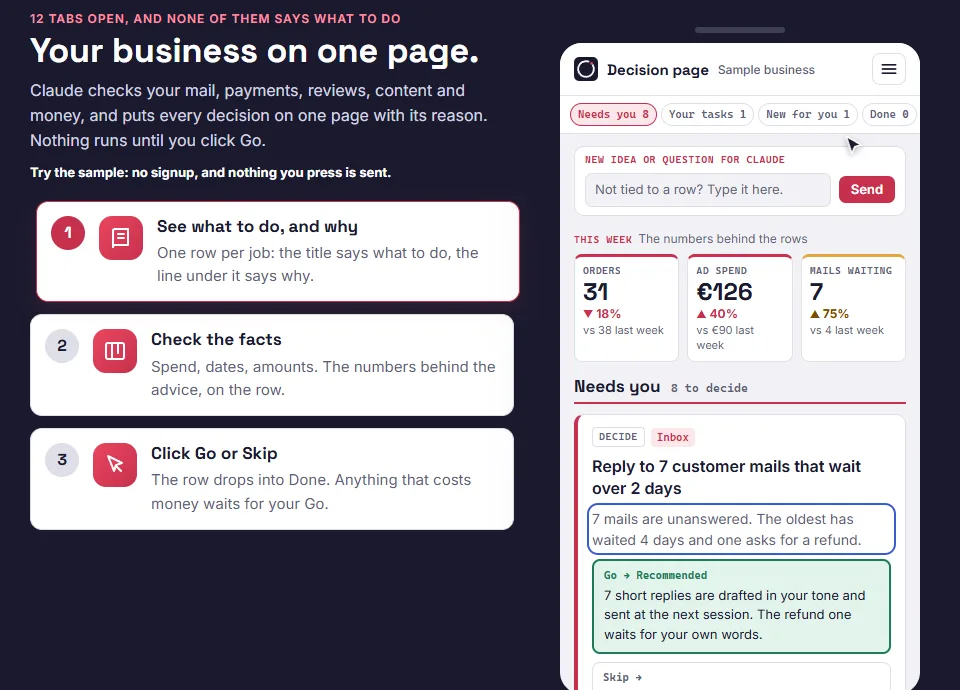
The free sample page shows the stock check, the check behind steps 1 and 2, as one decision with its reason and a Go button. No signup, and nothing you press is sent. The free starter board, the Trello version, is the email step behind it.
Want the whole Operations board? It is in the packs.
MOGA World is independent and not affiliated with Anthropic or Atlassian. Sample businesses and numbers in this article are invented. Questions: stef@mogaworld.co